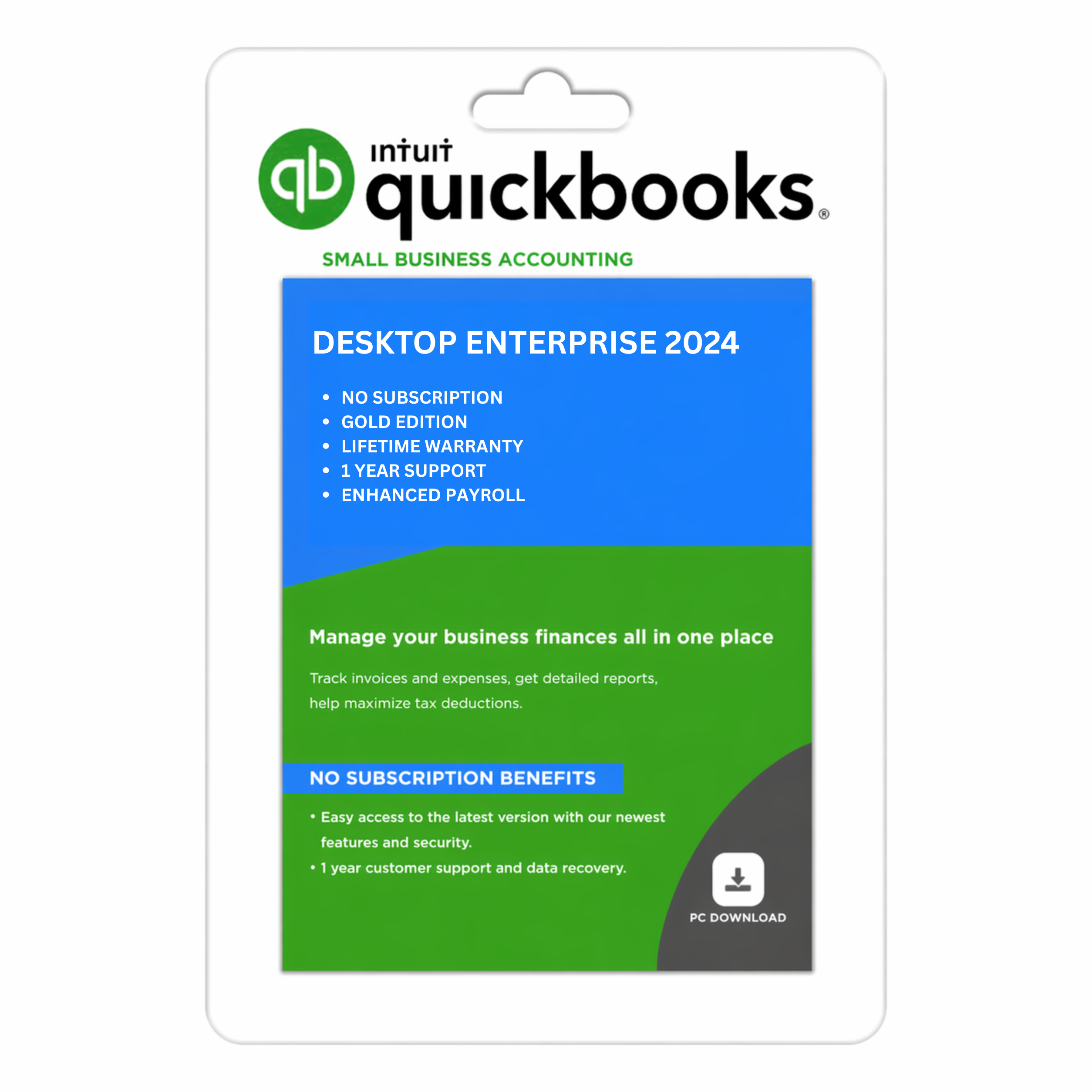
Intuit QuickBooks Desktop Enterprise 2024 (Gold Edition)
Price range: $499.95 through $1,399.95
- Enterprise GOLD Edition
- Upto 40 Users
- Enhanced Payroll
- Instant Delivery via Email
- Free Annual Bookkeeping Assistance
- Free Annual Product Support
QuickBooks Desktop Enterprise 2024
Overview of Enterprise Accounting Software
If you’ve ever felt like your accounting software is holding your business back, you’re not alone. Many growing businesses hit a ceiling where basic tools just don’t cut it anymore. That’s exactly where QuickBooks Desktop Enterprise 2024 steps in. It’s not just accounting software—it’s a full-scale business management solution designed for companies that need more power, control, and flexibility.
Unlike entry-level tools, this enterprise-grade software combines accounting, inventory management, payroll, and reporting into one unified system. According to recent data, it offers 200+ built-in customizable reports, making it one of the most feature-rich desktop accounting platforms available. Think of it as your financial command center, where every aspect of your business—from cash flow to stock levels—is tracked in real time.
What makes it particularly interesting is its desktop-first approach. While many tools have gone fully cloud-based, this software retains the performance and control of desktop computing, while still offering optional cloud hosting. That hybrid flexibility is a huge advantage for businesses that want both speed and accessibility.
Who Should Use It
So, who is this software really for? Not every business needs enterprise-level accounting, and that’s okay. But if your company is scaling fast, managing multiple users, or dealing with complex inventory, this solution becomes incredibly valuable.
It’s especially ideal for:
- Medium to large businesses
- Manufacturers and wholesalers
- Retailers with complex inventory systems
- Companies needing advanced reporting and analytics
If your team has outgrown basic accounting tools, upgrading to QuickBooks Desktop Enterprise 2024 feels like switching from a bicycle to a high-performance vehicle. Everything becomes faster, smoother, and more efficient.
Why Choose QuickBooks Desktop Enterprise 2024
Key Benefits for Businesses
Choosing the right accounting software isn’t just about features—it’s about how those features translate into real-world benefits. And this is where QuickBooks Enterprise 2024 really shines.
First, it centralizes your operations. Instead of juggling multiple tools for accounting, payroll, and inventory, everything lives in one place. That means fewer errors, less duplication, and more time saved. Imagine managing your entire business from a single dashboard—that’s exactly what you get here.
Another major benefit is scalability. The software supports up to 40 simultaneous users, depending on the plan. So whether you’re a team of five or fifty, it grows with you. You won’t need to switch systems every time your business expands.
Competitive Advantage Over Other Software
Let’s be honest—there are plenty of accounting tools out there. So what makes this one different?
The biggest edge lies in its depth of functionality. While many cloud-based tools focus on simplicity, this software focuses on power and customization. You get advanced pricing rules, inventory tracking across multiple locations, and industry-specific features that competitors often lack.
It’s like comparing a smartphone camera to a professional DSLR. Both take pictures, but one gives you far more control and precision.
Features of QuickBooks Desktop Enterprise 2024
Advanced Accounting Tools
At its core, this software is built for serious accounting. You get tools for job costing, budgeting, forecasting, and financial tracking that go far beyond basic bookkeeping.
The real magic lies in customization. You can tailor reports, workflows, and dashboards to match your exact business needs. That means no more generic reports—you get insights that actually matter.
Inventory Management System
Inventory can make or break a business, especially in retail and manufacturing. This software offers advanced inventory features like:
- Multiple location tracking
- Barcode scanning
- FIFO costing
- Serial and lot number tracking
These features help you maintain accuracy and reduce losses. Instead of guessing what’s in stock, you’ll know exactly where everything is at any moment.
Advanced Reporting Capabilities
Data is power—but only if you can understand it. With over 200 customizable reports, this software turns raw data into actionable insights.
You can analyze sales trends, track expenses, and forecast future performance. It’s like having a financial analyst built into your software.
Payroll and Workforce Tools
Managing employees is another area where this software excels. Depending on your plan, you get integrated payroll features that allow you to:
- Pay employees via direct deposit
- Automate tax calculations
- Manage benefits and deductions
This integration reduces errors and ensures compliance, which is critical for growing businesses.
Desktop vs Online: Which Is Better?
This is one of the most common questions. Should you go with Desktop or Online?
Desktop offers:
- More advanced features
- Better performance
- Greater control
Online offers:
- Anywhere access
- Simpler interface
- Lower upfront cost
If your business is complex, Desktop Enterprise is usually the better choice.
Industry-Specific Editions
One of the standout features is industry-specific versions tailored for:
- Manufacturing
- Retail
- Construction
- Nonprofits
These editions include specialized tools that align with your business processes, saving time and reducing manual work.
Benefits of Buying QuickBooks Enterprise 2024
Investing in this software brings multiple benefits:
- Improved efficiency
- Better financial visibility
- Scalable growth
- Reduced manual errors
It’s like upgrading your business infrastructure without changing your entire workflow.
How to Buy QuickBooks Desktop Enterprise 2024
Buying the software is straightforward:
- Choose your plan
- Select number of users
- Purchase through authorized resellers or official sources
- Install and activate
Make sure you’re buying from a trusted provider to avoid licensing issues.
Tips Before Purchasing
Before you hit that “buy” button, consider:
- Your business size and growth plans
- Required features (inventory, payroll, etc.)
- Budget constraints
- Number of users
Choosing the right plan from the start can save you money and headaches later.
Pros and Cons
Pros:
- Powerful features
- Scalable
- Industry-specific tools
Cons:
- Higher cost
- Learning curve
- Desktop dependency
Common Mistakes to Avoid
Many buyers make mistakes like:
- Choosing the wrong plan
- Underestimating user needs
- Ignoring system requirements
Avoid these, and your experience will be much smoother.
Security and Data Protection
Security is a top priority. The software includes:
- User permissions
- Data encryption
- Backup options
This ensures your financial data remains safe and compliant.
Integration and Add-ons
The software integrates with 200+ apps, including eCommerce platforms and payment gateways.
This flexibility allows you to expand functionality as your business grows.
Is QuickBooks Enterprise Worth It in 2026?
Absolutely—especially since Enterprise is now the primary desktop offering still available for new users, while other desktop versions have been phased out.
If you want long-term stability and advanced features, it’s a solid investment.
Conclusion
Buying QuickBooks Desktop Enterprise 2024 is more than just purchasing software—it’s upgrading how your business operates. From advanced accounting tools to powerful inventory management, it provides everything you need to scale efficiently.
If your business is growing and your current tools feel limiting, this might be the upgrade you’ve been waiting for.
FAQs
1. Is QuickBooks Desktop Enterprise 2024 a one-time purchase?
No, it’s subscription-based with annual or monthly billing.
2. How many users can it support?
Up to 40 users depending on the plan.
3. Does it include payroll?
Yes, but only in Gold, Platinum, and Diamond plans.
4. Can I access it remotely?
Yes, with cloud hosting options.
5. Is it better than QuickBooks Online?
For advanced features and scalability, yes.
Additional information
| Users | 1, 2, 3, 4, 5, 6, 7, 8, 9, 10 |
|---|
Reviews
There are no reviews yet.